Coding kaleidoscopes from worms
(is there anyway i can put a ToC here? Cuz wordpress should have one but it’s unavailable on this site. https://wordpress.com/support/wordpress-editor/blocks/table-of-contents-block/)
Experimenting
Day 1 (0925) The Ball Starts Rolling with Color
Change the something else besides position and change “direction” of of that variable (requiring two seperate variables) for your existing bouncing ball. For instance size and size direction, or redness or alpha or left boundary or speed or…
Thought about direction, but that would’ve been too…expected. So I opted for size and color direction instead. I wanted to replicate an artwork by Jerry-Lee Bosmans that caught my eye bcs it seemed totally re-creatable in p5.js 👇
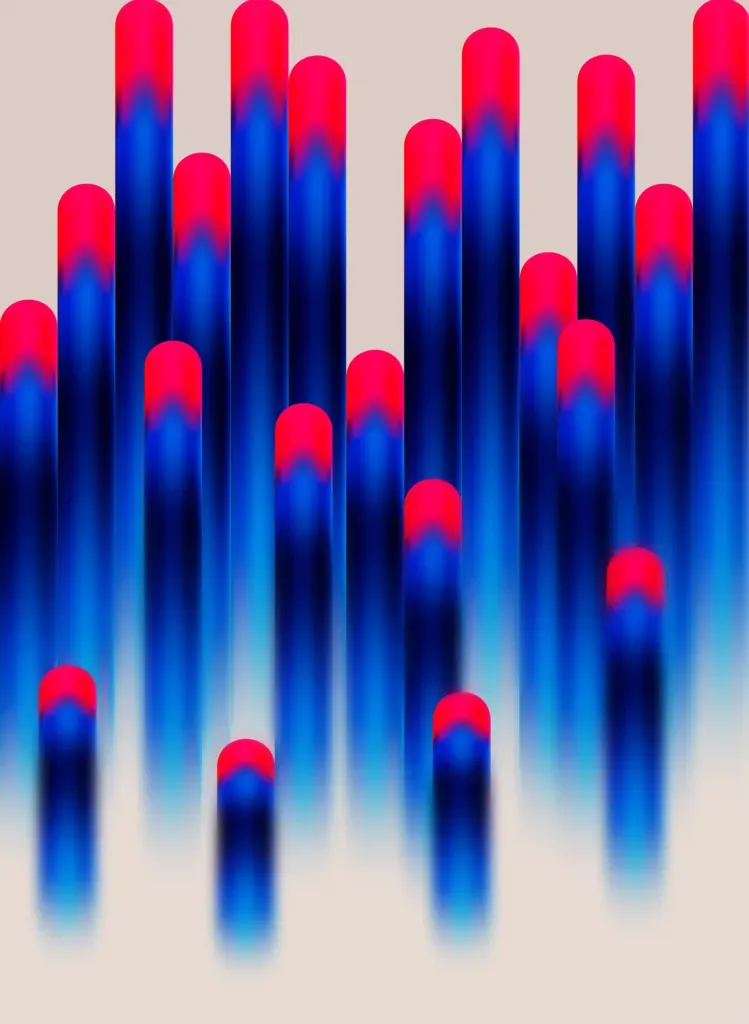
Quick Analysis of the Effect:
- Color: Red at the top, Klein blue in the middle, black at the bottom.
- Size: Balls width proportional to the canvas.
- Quantity: Around 20 balls on the screen.
I started with a simple layered approach: Red ➡️ Blue ➡️ Black
For the first try, I only changed the color and the xPos/yPos of the balls, and the effect is so bad i didn’t even want to share it.
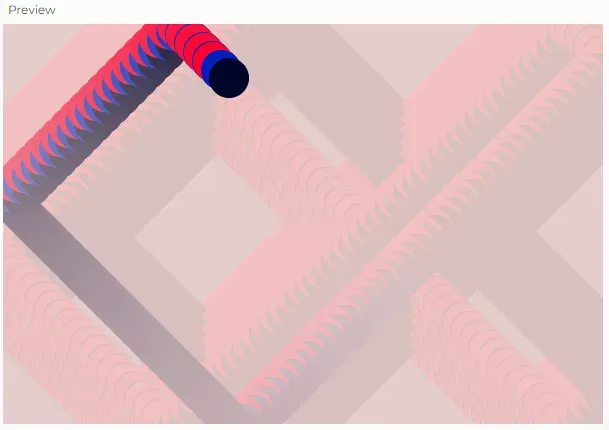
1. xPos and yPos are not proportionally related to the canvas (I fixed the bouncing motion part by changing == logic to >= and <=), therefore the values are causing an offset when they bounce, and the “tails” are not directly following the head.
2. There isn’t a smooth blending between colors.
3. Layers should be in the opposite composition.
What if we cancel the offset on xPos/yPos and simply make 3 balls move at the same time with different fill()?
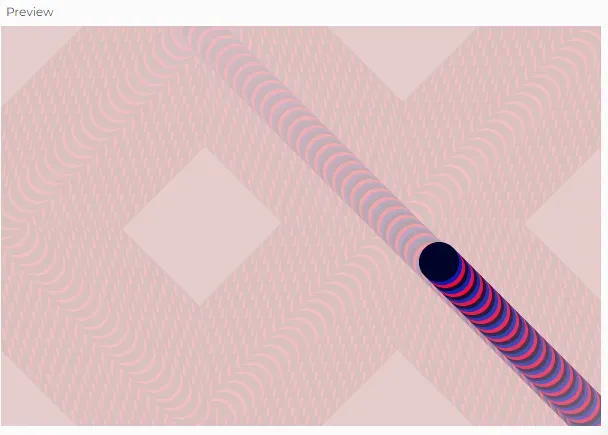
After tweaking, I got a hypnotic (though not perfect) effect by synchronizing movement and color.
Day 2 (0928) Enter the Loop of Madness
Add a For Loop to draw multiple balls every frame. Use the i variable to offset them a little so they are not drawn on top of each other.
“Use a for loop,” they said. “It’ll be fun,” they said.
The for loop did inspire me, though. I used it not just to increase the number of balls but to play with color effects. Now, I had a snake-like segmentation. Here’s what I learned:
- The change rate for the gradient didn’t sync up with the opacity (aka fading tail speed)
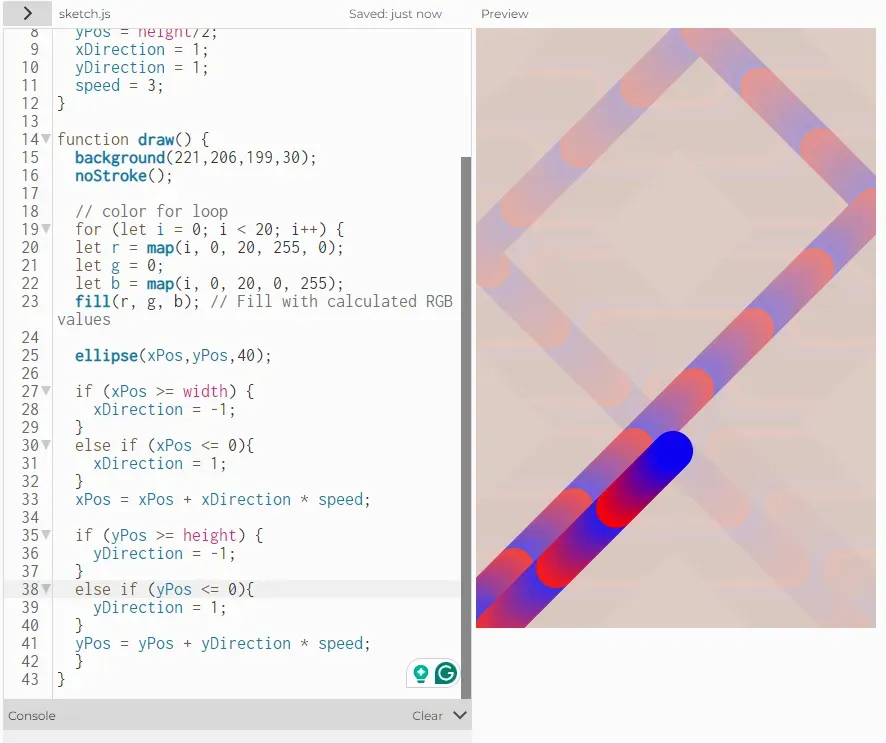
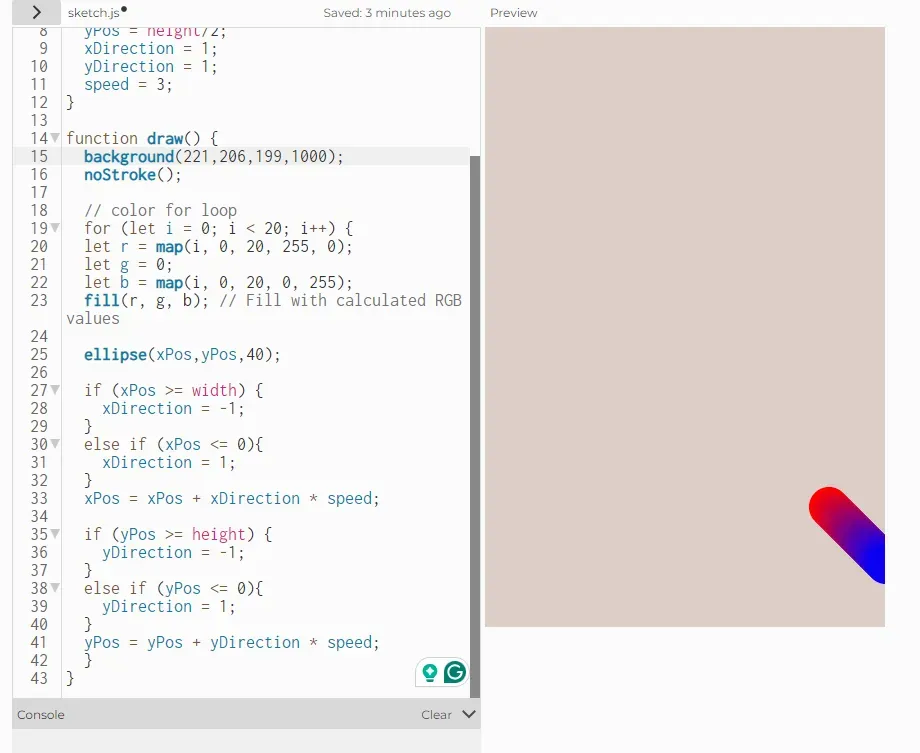
Two parameters are altering this effect:
- speed
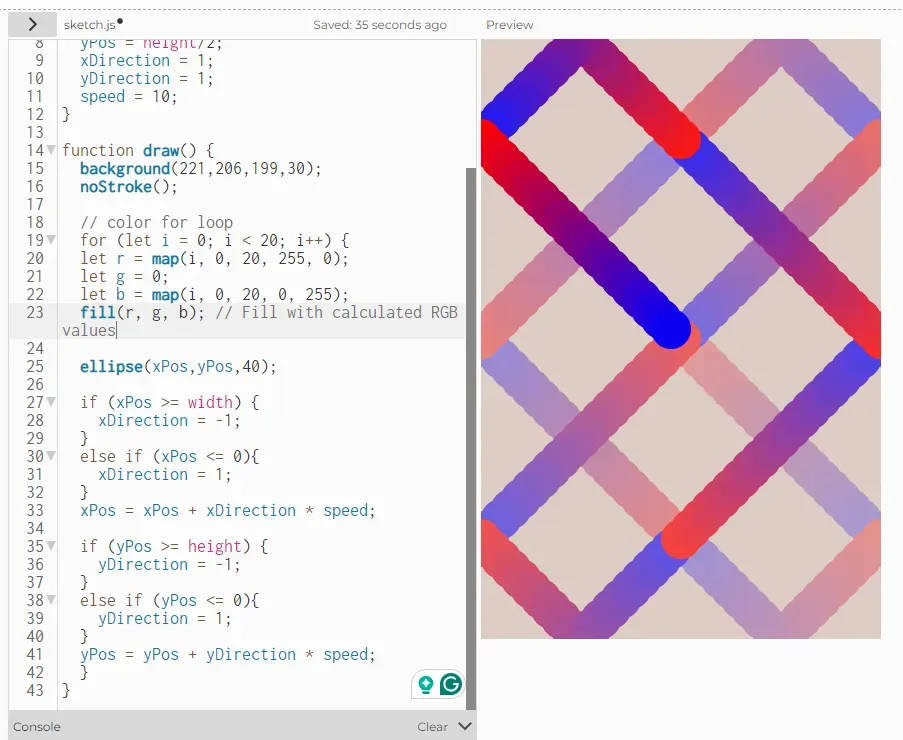
- and the opacity of the background
Have your mouse change one of the direction variables or a new variable.
So I wanted to make the two parameters to be interactive with mouse control.

This effect seems pretty well and is gain by simply adding these codes outside the draw function:
function mousePressed() {
  speed = 5;
}
function mouseReleased() {
  speed = 0.75;
}
Day 3 (0929) The Wormhole Experiment
Add some randomness xPos = xPos + direction + random(0,3)
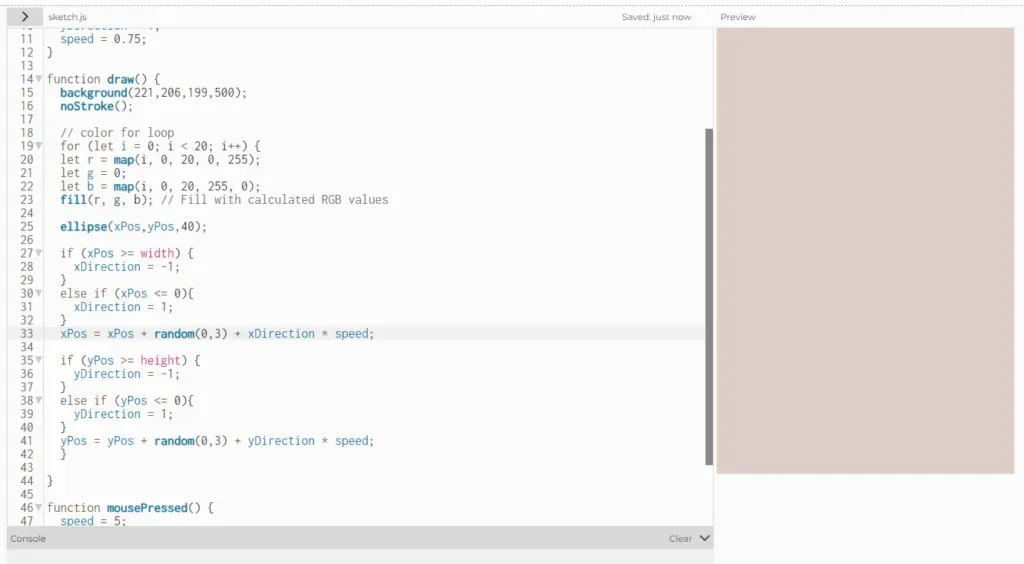
And the balls went flying into oblivion. Turns out, having a random value in a loop without boundaries is chaos ensued. I have to find another way of adding this randomness.
I first tried color:

It turns out so funny because the screen is blinking so fast and attacking my eyes.
Then I remembered that I didn’t change the quantities of the balls, and I can generate multiple balls moving in different directions with random starting positions, making the same effect. Then I’ll have to find a way to store those values, and the first thing that come to mind is arrays.
Plan B: Store initial values in arrays: https://p5js.org/reference/p5/Array/
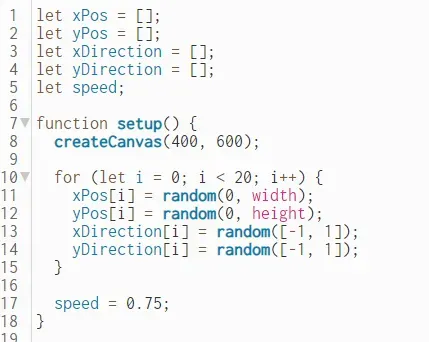
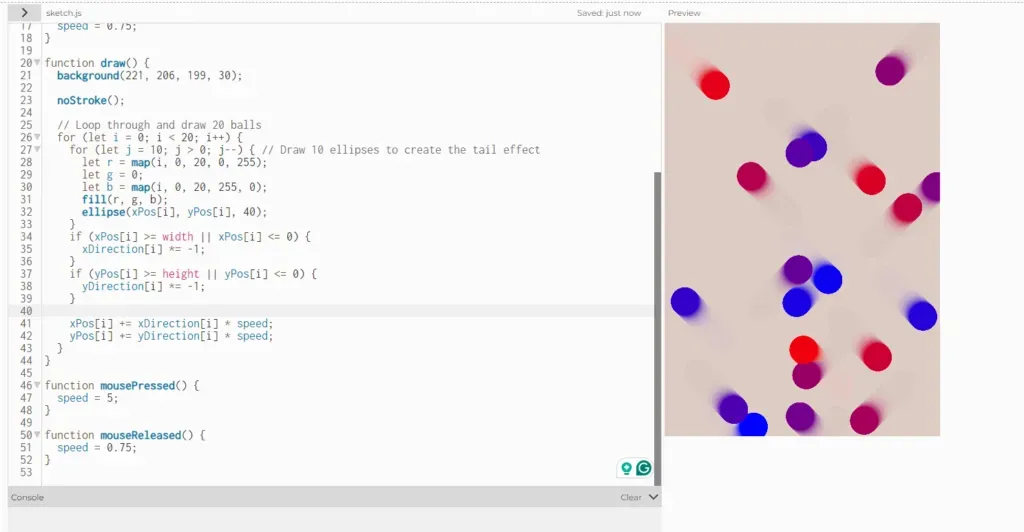
That fixed the randomness, but in the process, I lost my beloved color tail effect.😢
Current Status: Worms. They look like worms.
Takeaway: Hypnotic art isn’t easy. It’s like hypnotizing yourself into thinking “this time it’ll work” for hours.
Day 3 Locking in
The overall theme is psychedelic aesthetics, and I also remembered that Dano tells us to hypnotize audiences. For me, I wanted to use Kaleidoscope as an inspiration. I have some basic ideas:
1. Use different layers of balls with varying speeds and sizes to create a depth effect. Each layer can have its own rules of movement.
2. Using sinusoidal or oscillating radical movements and make the balls trace curves and spirals.
3. Implement trail effects by not clearing the canvas completely on each frame so that previous movements leave a fading trace.
4. Color gradients as I’ve been experimenting
5. Make the balls react to mouse position or clicks. Change the speed, direction, or add new balls to the scene.
I also found another cool p5js artist on youtube:
https://www.youtube.com/watch?v=wiPwD5nO7Ig
She inspired me to class in p5js and that I can use class for the balls.
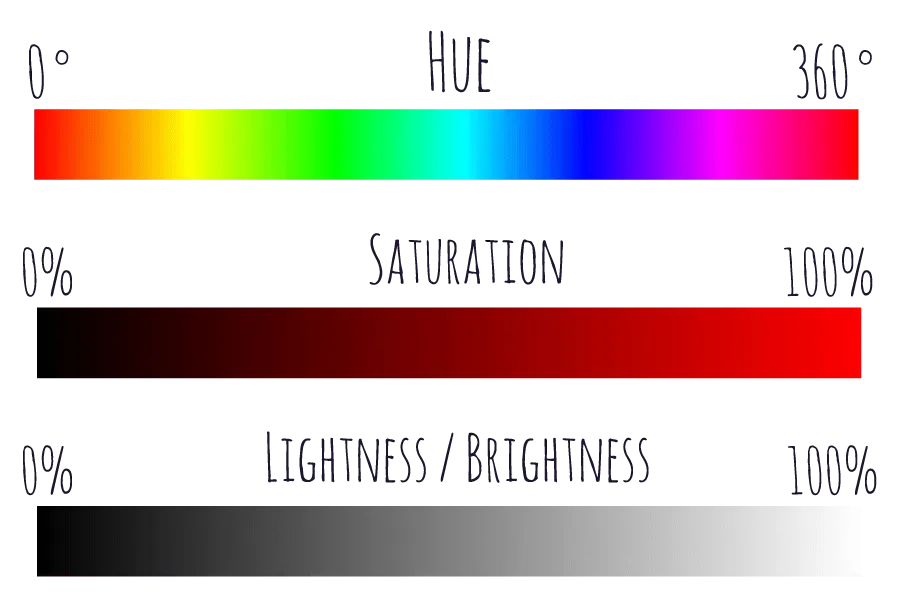
I also found out that HSB works better because the values are more straightforward.
I first tried altering the parameters & getting familiar with using the class:
let balls = [];
function setup() {
  createCanvas(800, 800);
  for (let i = 0; i < 20; i++) {
    balls.push(new Ball());
  }
  colorMode(HSB, 360, 100, 100, 100);
}
function draw() {
  background(0, 5);
  translate(width / 2, height / 2);
  for (let ball of balls) {
    ball.update();
    ball.display();
  }
}
class Ball {
  constructor() {
    this.radius = random(50, 200);
    this.angle = random(TWO_PI);
    this.speed = random(0.01, 0.03);
    this.hue = random(360);
    this.size = random(5, 15);
  }
  update() {
    this.angle += this.speed;
    let oscillation = sin(frameCount * this.speed) * 50; // Sinusoidal movement
    this.x = (this.radius + oscillation) * cos(this.angle);
    this.y = (this.radius + oscillation) * sin(this.angle);
  }
  display() {
    fill(this.hue, 100, 100, 50); // Use HSB color model for gradient
    noStroke();
    ellipse(this.x, this.y, this.size);
  }
}
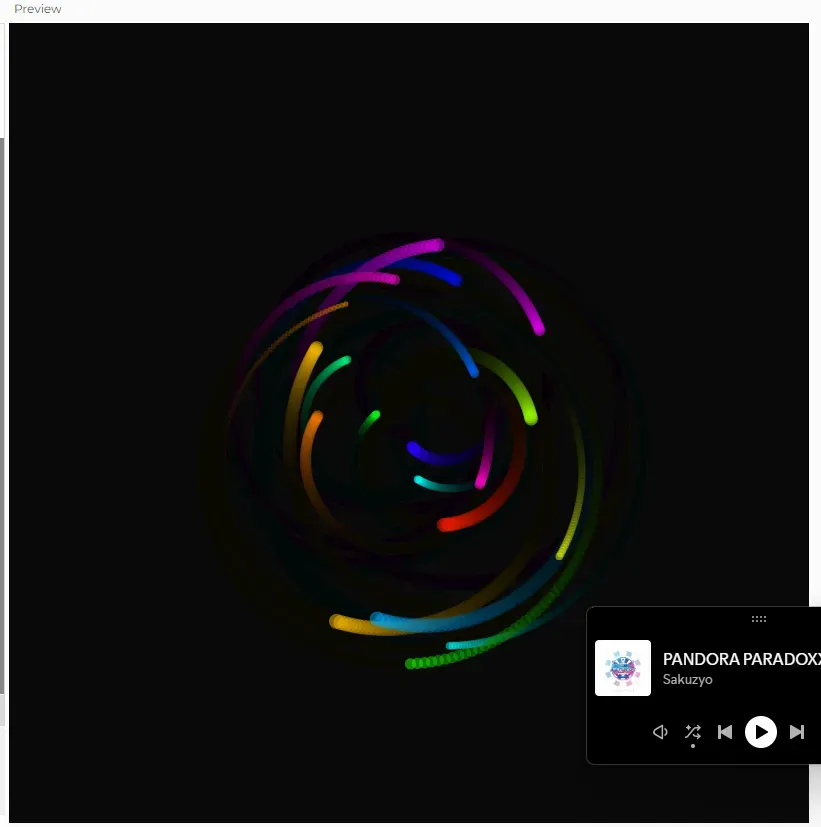
and created this effect:
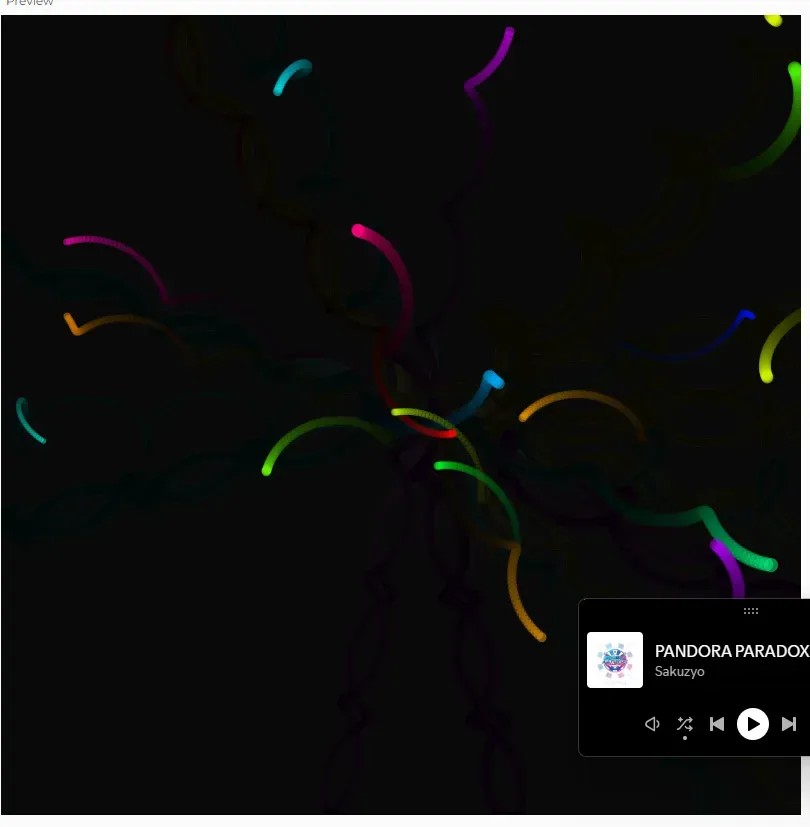
I want to modify the movement of the balls to use a radial expansion-contraction mechanism instead of a fixed radius rotation. Each ball will move outwards from the center in a radial direction, with some random variation to prevent straight lines, and bounce back when hitting the edge of the canvas.
However, they look like worms again now.
I reconsidered my code structure and drafted a possible effect on my ipad. It should look like this:

To achieve this effect, I found Daniel Shiffman’s videos about push() and pop():
And added push and pop into my own code:
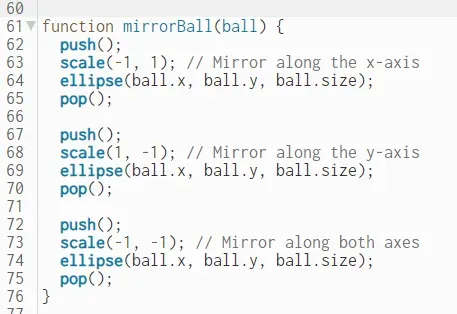
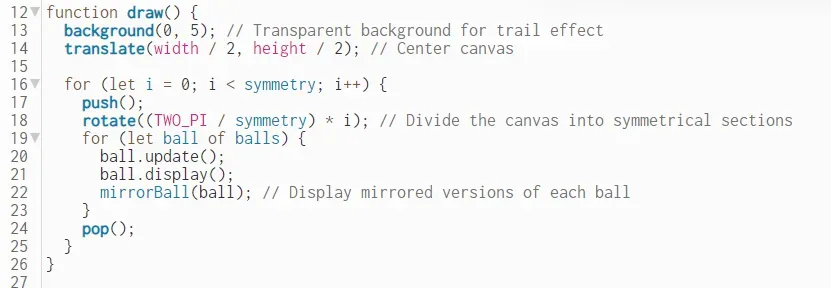
The effect goes well. It’s actually already pretty similar to the Kaleidoscope effect I want to achieve.

Things i want to add in at this point:
1. Gradient tail effect, that the balls change their colors rather than creating single color tails. Since I’m using HSB right now, I feel like modify the ball’s hue property dynamically using a formula based on the frame count or distance. As the ball moves, its hue will change, leaving a gradient trail.
2. mouse click interactions. For example, change the speed or direction of the balls, add or remove balls.
For the mouse interaction, i actually found the most interesting effect being this:
symmetry = int(random(3, 12)); // Random symmetry between 3 and 12
https://editor.p5js.org/mukirkland/full/lCfoVdFH1

Day 4 Finishing up
Today I want to make the mouse interaction more visually impactful, such as having the background flash or brighten when the mouse is clicked.
My initial thought is like this:
- Introduce a global variable that will control the temporary brightness increase of the background.
- Gradually reduce the brightness back to normal over a few frames to create a smooth transition. in draw()
- Set flashBrightness to a high value when the mouse is pressed, triggering the flash effect.
Then I found out that I need to use hsb values instead of adding a single variable.
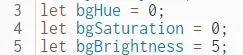
However, my first attempt on setTimeout is not working.
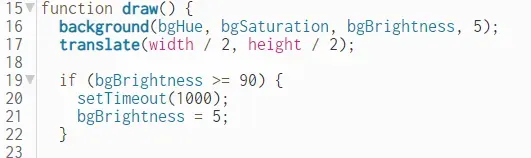
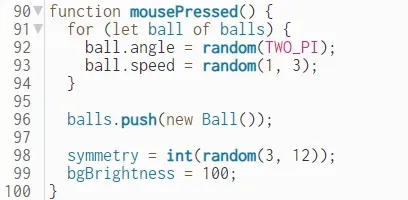
I decided to put the fading into black effect in the mouse pressed. And I also found out that setTimeout has two parameters: a function and a time. So I wrote a single function for the bgBrightness to change back to dark.
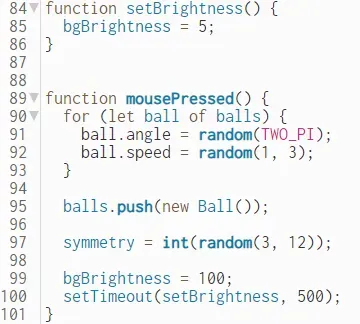
Final Effect
https://editor.p5js.org/mukirkland/sketches/SUMYlxX2E
Code go-through
Create the Canvas and Balls:
- When the program starts, it initializes a canvas and creates 20 balls.
- Each ball is an object created from the
Ballclass, and it starts at the center of the canvas with random properties like speed, direction, and color.
Drawing and Updating the Pattern:
- The
draw()function is called repeatedly to animate the scene. - Key Operations in
draw():- The canvas is cleared with a transparent black background (
background(0, 5)), creating a trail effect as the balls move. - The origin (0,0) is moved to the center of the canvas (
translate(width / 2, height / 2)). This allows the balls to start moving from the middle of the canvas. - The canvas is divided into symmetrical sections using
rotate(). Each section is rotated byTWO_PI / symmetryto create a repeating pattern. - Each ball’s position is updated based on its speed, direction, and some added noise to make its path more organic.
- Each ball’s color changes slightly over time, creating a gradient effect.
- After drawing each ball, its mirrored versions are drawn using the
mirrorBall()function, creating the kaleidoscopic symmetry.
- The canvas is cleared with a transparent black background (
Ball Movement Logic:
- Radial Movement:
- Balls move away from the center along a radial path defined by an angle (
this.angle). - The position is updated using trigonometry (
cos()andsin()), and noise is added to create a more complex path.
- Balls move away from the center along a radial path defined by an angle (
- Bounce Back:
- If a ball reaches the boundary of the canvas, it reverses direction and moves back towards the center, creating a bouncing effect.
Magic:
- The symmetry is created by drawing the same ball multiple times within different rotated sections.
push()andpop()functions ensure that each section is independent, and transformations likerotate()andscale()don’t interfere with other parts of the drawing.- As the balls move, their
huechanges over time, creating a continuous gradient effect for their trail.
Mouse Click Interactions:
- When we click the mouse, the program responds by:
- Changing the direction and speed of all the balls randomly.
- Adding a new ball to the scene, increasing the complexity.
- Changing the number of symmetry lines randomly, altering the overall pattern.
Exhibition
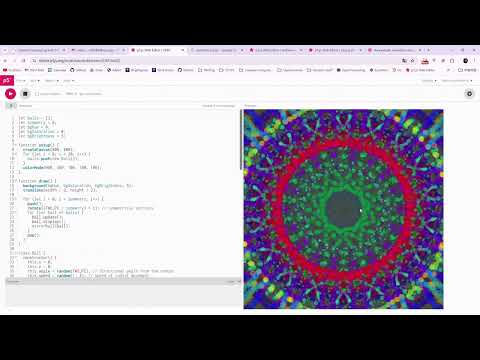
Tools I used:
- p5.js: Say no more
- FocuSee: For smooth zoom-in effects (only 1 free use tho 😢)
- OBS: Best screen recording app
- Dan Shiffman videos
p5.js skills learnt & used:
- translate
- rotate
- push and pop
- for loops
- random
- sin and cos
- class and constructor
- mousePressed and mouseReleased
- HSB color model
- TWO_PI constant
- frameCount variable
- Array data structure
Thank you for taking the time to read through my process and experiments! This week’s post is kidda long but I hope you found it interesting and maybe even got hypnotized by me;)