Save Your Dignity (and Theirs) with a Cry Detector
We are running out of media storage!!
Plese click on this link its a picture
Ever find yourself in a situation where you’re incredibly anxious because your friend is curled up next to you, having a breakdown, and you’re utterly helpless? (You don’t even know if they’re crying)
Usually, in such moments, we might ask the friend to “look at me” to confirm if they’re actually crying, but this can cause a second wave of harm, especially for those with strong pride. They’re already in a fragile state, and people tend to avoid eye contact in such moments. We need a more indirect and gentle approach.
Of course, we can use some signs, but those can only suggest that the person might be crying—they can’t validate it.
Plese click on this link its a picture
An effective way is to harness the power of physical computing to create a “tear detection device.”
Brainstorm
In my plan, the process would go like this flow chart:
Plese click on this link its a picture
This device would offer several advantages:
- It avoids overly intimate physical contact, like touching their eyelids or cheeks. Instead, you’re using high-tech scientific methods.
- It prevents you from saying cringe af lines like “Look up at me.”
- It shows you genuinely care about the person. (after all, you built an entire device for their emotions)
- They’d never expect you to whip out a gadget, and the shock might actually distract them from their sadness.
- It finally gives purpose to the random rain sensor you found in Dano’s tool kit.
Basically, I’ll use the rain sensor as the component that controls whether the LED lights up or not.
First Attempt
I initially tried using only hardware for the project, directly connecting the rain sensor into the circuit without any coding. My hope was that the sensor would act like a simple switch, turning the LED on when it detected rain and off when it didn’t. However, it wasn’t working as expected, and the LED didn’t respond consistently.
Plese click on this link its a picture
After doing some research, I discovered that rain sensors don’t behave in a purely binary manner, like a switch that either connects or disconnects based on water presence. Instead, rain sensors send out analog signals that vary based on the amount of moisture detected. This means the sensor is providing a range of values depending on how wet or dry it is, rather than a straightforward “on” or “off” signal.
Because of this, the sensor needs something to interpret these signals—like an Arduino or similar microcontroller—which can read the varying input and act accordingly. This explained why my initial hardware-only approach didn’t work as expected, and led me to reconsider adding some coding to properly handle the sensor’s output.
Second Attempt
Plese click on this link its a picture
So on my left side of the breadboard, the LED is connected to GND and D14, and on the right side, the rain sensor is connected to GND and D8. Base on my first attempt, I get that…
To fully integrate the components, I will need to write a custom Arduino program that reads the rain sensor’s output and triggers the LED accordingly. This will involve coding logic that interprets the data from the sensor and defines conditions for when the LED should switch on or off based on the presence of water (teardrops).
Prospective Coding
I will need an arduino app & coding to finish the switch. It shouldn’t be part of the homework but I still look forward to solving it. So I checked several youtube videos and find this really helpful:
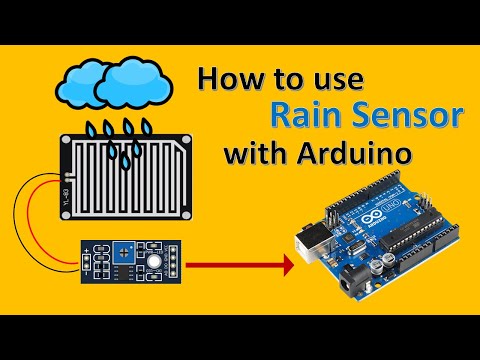


In terms of coding logic, I’ll need to set up the digital pin connected to the rain sensor as an input and the pin connected to the LED as an output. I’ll likely use an if-else statement to check the sensor’s value, and depending on whether it’s reading “wet” or “dry,” I’ll program the LED to light up or turn off.
Summary
While this is still a work in progress, it has been a great hands-on learning experience for me bcs I’m looking forward to fully implementing the Arduino coding and testing it out.