Moody Pet – How is the weather?
Inspiration
My mood is 50&-100% controlled by the weather. I check the weather everyday before classes just to mentally prepare myself for what the universe has in store. Stuff like gigh temps, low temps, dew points, wind speeds and clouds.
I posted this on my instagram story today:

I thought its going to be a 9/10 day but turns out the washington square and downtown brooklyn area is penetrablely cold and light rain continues all day. To me, if the sun’s shining bright, I’m starting my day in uptone mood. If it’s gray and dreary then my motivation gets buried under a blanket, and my productivity kidda tanks.
And today’s weather is like this:

Now I don’t have a pet (yet!), but if I did, it would no doubt pick up on my weather-driven vibes, and would prolly live and breathe on external stimuli. I except this pet is going to have one big quirk: its entire personality is based on light. And just to make it simple, I’m going to imagine my arduino is now a cat named Luna.
The Plan
Here’s how I imagine it: if it’s sunny and bright, Luna will be happy as a clam—tail wagging, lights glowing, living her best life. But if things start to get dark? Well, expect a slow, melodramatic slump into sadness. And if no one gives her any attention? Nap time.
But wait there’s more, because I realized that a real pet owner can’t just sit back and let the weather decide everything. What kind of caretaker would I be if I didn’t try to cheer up my pet every once in a while, even when the weather’s less than ideal? That’s where I come in. I imagine petting her or gentlely stroking her fur would make her excited or happy again, even if the sun won’t cooperate, and I’ll use a button to represent it.
Mood Indicator = LED
This LED will be the ultimate mood-ring for my Moody Pet:
Happy: When it’s bright enough (LDR) or if I press the button, my pet will wag its tail (servo motor) and glow with joy (LED).
Sad: If the light stays low for too long, the pet will slow down—tail barely moving—and the LED will dim in sympathy.
Sleepy: No interaction for a while and Luna will take a snooze. The servo stops moving entirely, and the LED fades away.
Excited: If the button is pressed, Luna will be cheered up(tail wagging rapidly, LED blinking).
Mood Controller = LDR
The light-dependent resistor (LDR) will be Luna’s primary mood gauge. It detects how bright the world is, and if it’s feeling sunny outside, she is in her happy place. The brighter it is, the happier she becomes, with the LED glowing warmly.
Mood Changer = Button & Time
Timers will track how long Luna stays in each mood. If she is sad because of low light for more than 30 seconds, she will settle into a full-on mope. If she’s been ignored for a while, she gets sleepy.
No matter the previous mood, if I give her a little tap, I can cheer her up.
Process
LCD and Servo
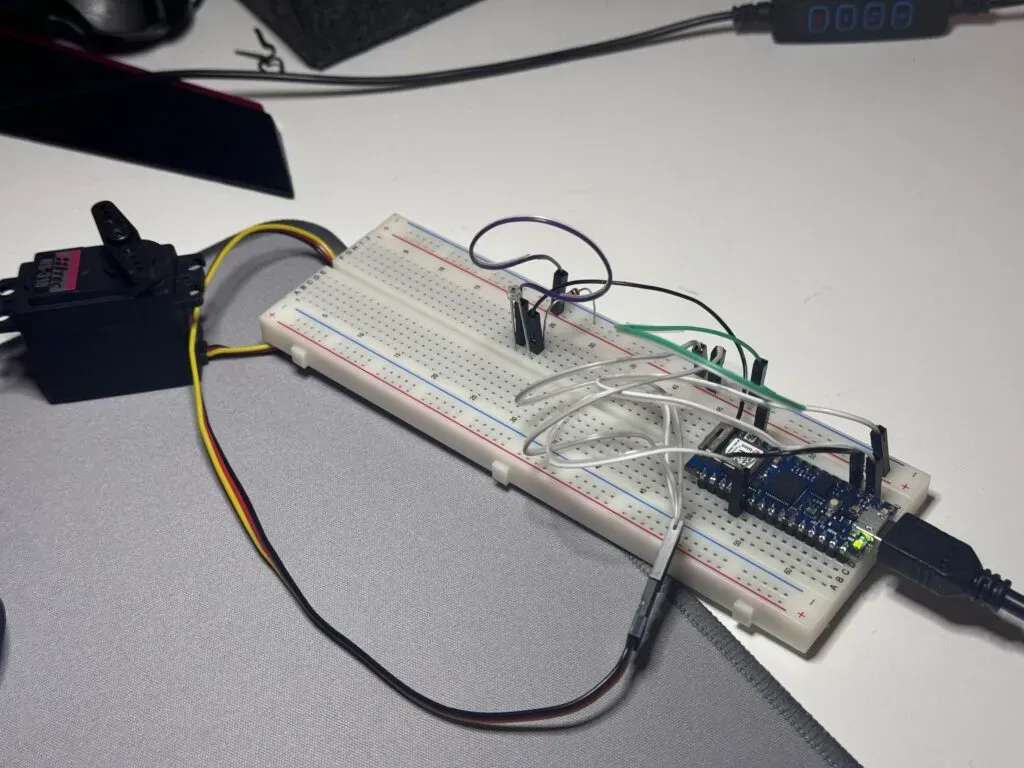
I connected these first because the logic is simply 1 input + 1 output.
I write my code like this:
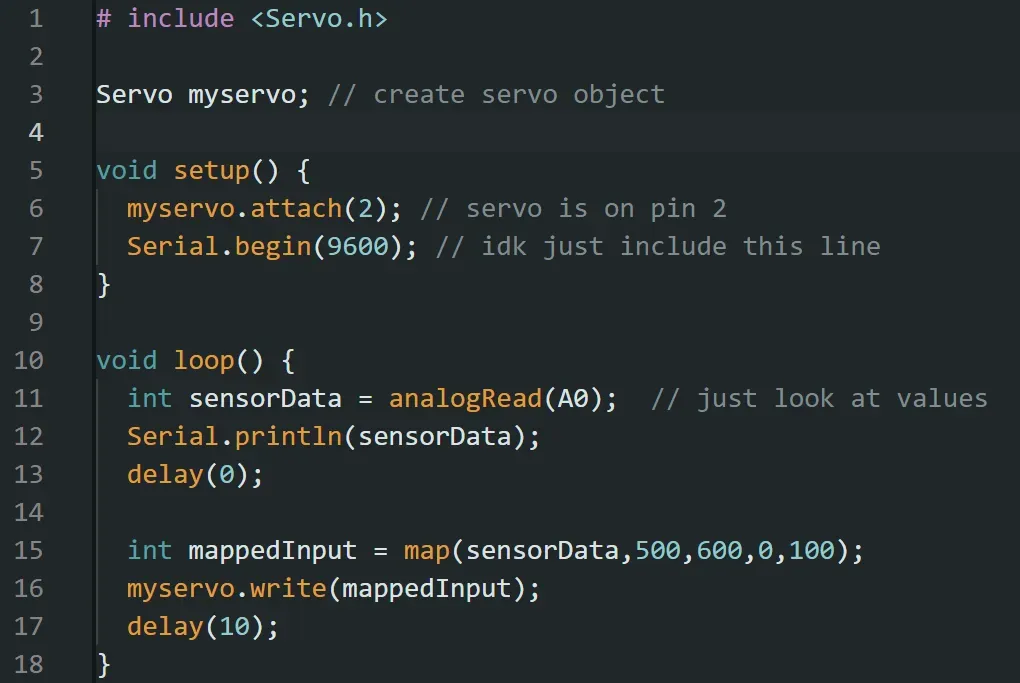
Test video:

The curcuit is working, but it’s not the exact effect I want. I expect the outcome to be like this:
-
Bright light: Happy tail-wagging action!
-
Dimmed light: Tail slowed down & feeling a little under the weather.
-
Total darkness: Sad. Just sad. Barely any tail movement, probably sulking.
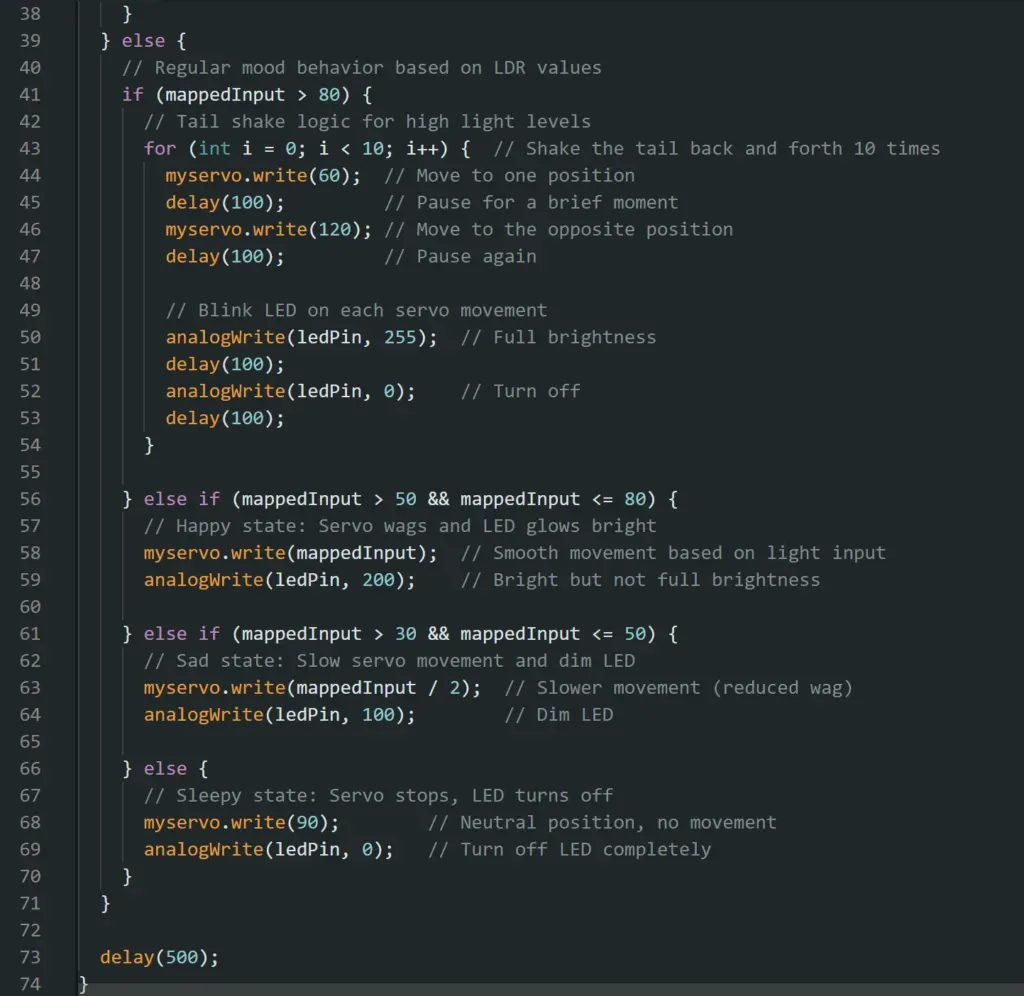
Therefore, I changed the logic of the code. When the light level is high (mappedInput > 80), Luna’s tail will quickly shake between two positions (e.g., 60° and 120°). This creates a fast back-and-forth motion. The for loop controls how many times the shake happens. It repeats the fast movement 10 times, which should look like a shaking motion. The delay(100) between movements controls the speed of the shake. When the light isn’t as high, the servo behaves normally, using smooth movements based on the light input.
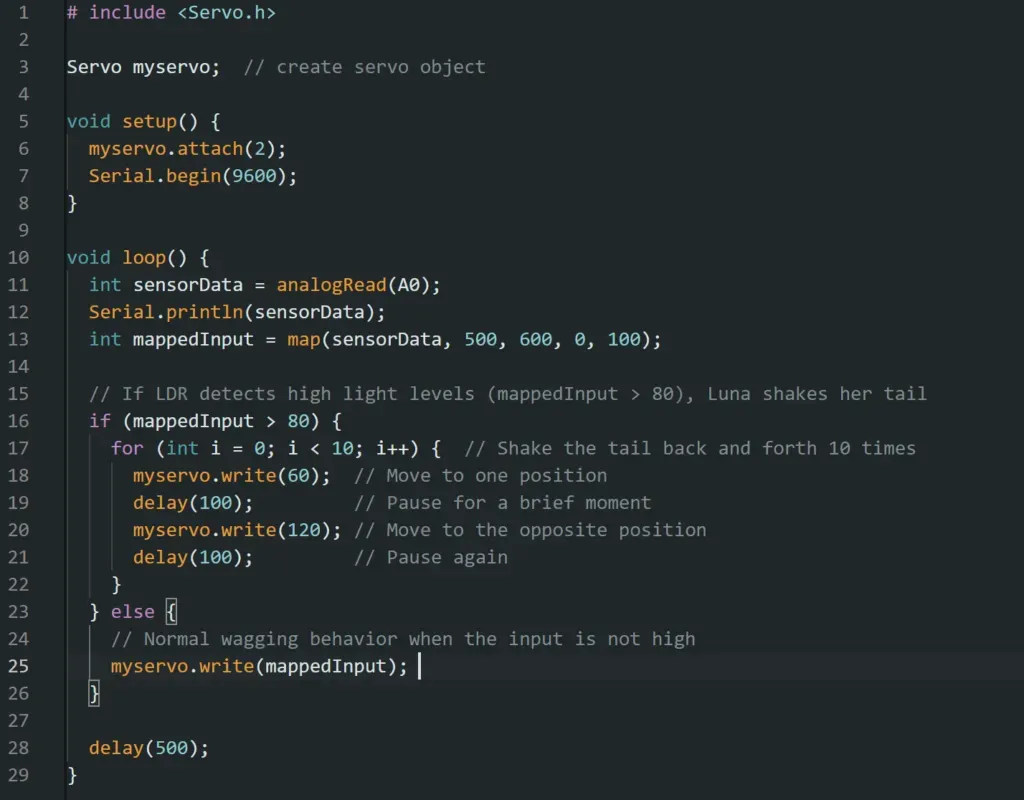
And now it is working as I expected. The tail part is done & I moved to the LED part.

LCD and LED
I connected my LED at pin 3.
For the coding part, my code logic is pretty simple. The map() function helps me convert the LCD input range of values to 0-100.
If the LDR detects a high light level (mappedInput > 80), Luna’s tail shakes rapidly, and the LED blinks to show excitement. The LED blinks on and off quickly using analogWrite(ledPin, 255) for full brightness and analogWrite(ledPin, 0) to turn it off.
When the light level is moderate (mappedInput > 50), Luna is in her happy state, so the servo wags smoothly, and the LED glows at a bright level using analogWrite(ledPin, 200).
When the light level is lower (mappedInput > 30), Luna becomes sad. The tail slows down (servo moves more slowly), and the LED dims to a soft glow (analogWrite(ledPin, 100)).
If the light is very low or absent (mappedInput <= 30), Luna gets sleepy, so the servo stops moving, and the LED turns off (analogWrite(ledPin, 0)).
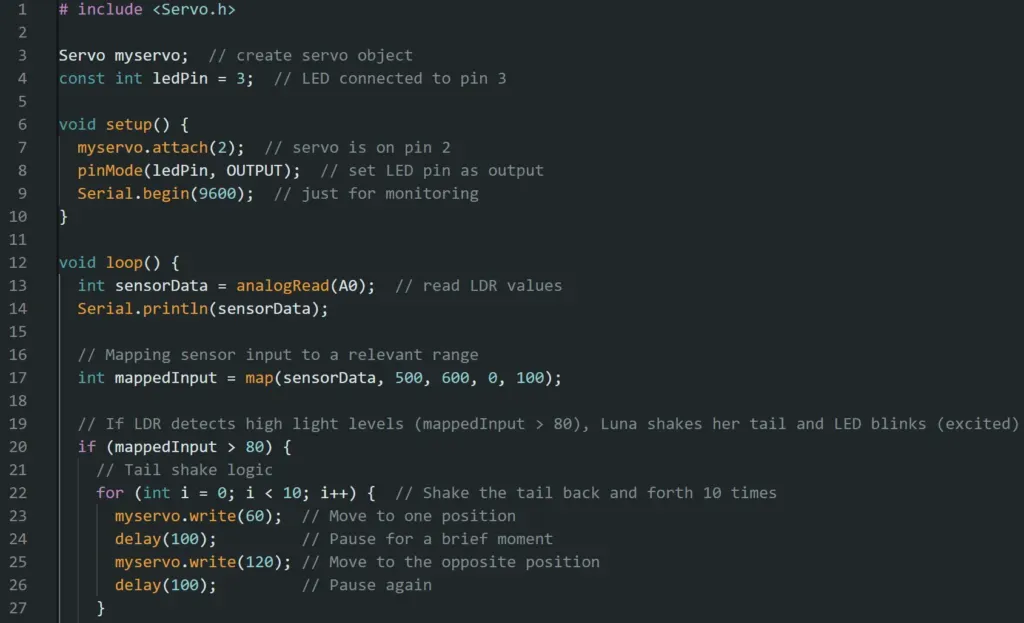
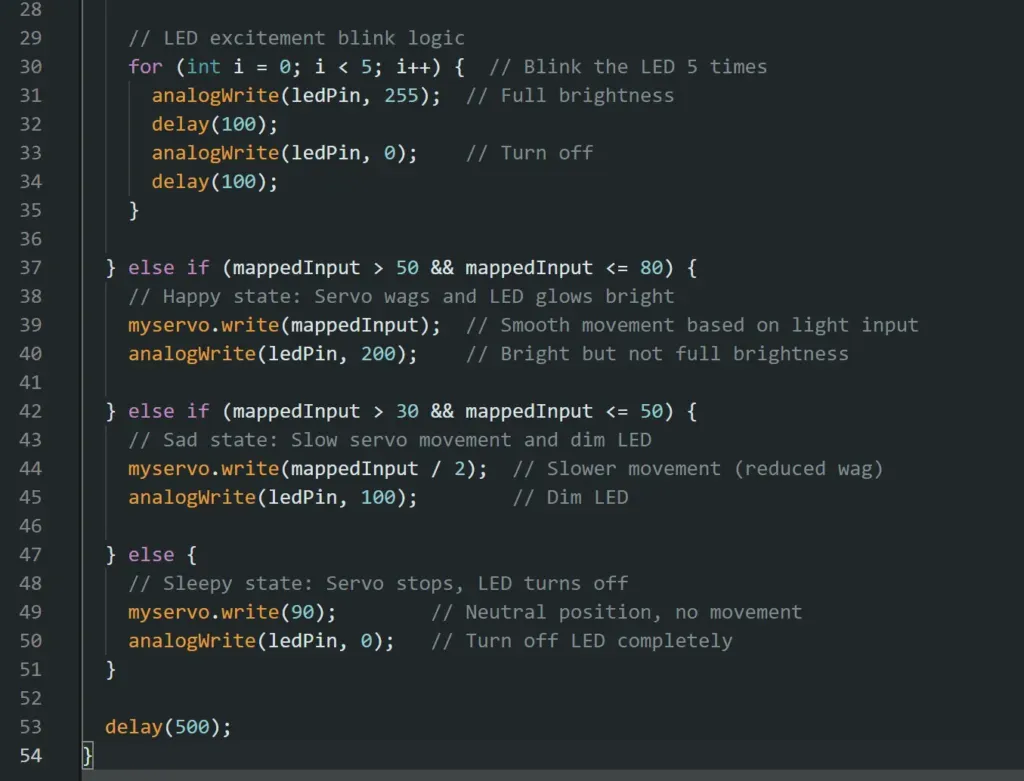
however the outcome doesn’t match my expectations.

The LED only blinked after the light level dropped, but it didn’t dim the way I expected. Naturally, I assumed I’d made a logic mistake somewhere in my code. Scoured my code for errors and even consulted ChatGPT, but it turned out my code was correct all along. So why wasn’t Luna’s mood lighting up correctly?
I decided to peek at the Serial Monitor, and that’s when the problem revealed itself! When I held the light source close to the LDR, I noticed it was reading values around 900. But in my original code, I had given Luna a tiny range of values to work with (500 to 600). This made the mapped values all crunched together, which messed up the performance—no wonder Luna didn’t know whether to blink or dim!
Here’s the original (too narrow) code:
// Original mapping with a small range
int mappedInput = map(sensorData, 500, 600, 0, 100);
I widened the input range to give Luna more breathing room & changed the code to this:
// Mapping sensor input to a relevant range
int mappedInput = map(sensorData, 200, 800, 0, 100);
So when the light level (sensorData) is 200 (dim room), the mapped value is 0 (tail barely moves). When the light level is 800 (bright light), the mapped value is 100 (tail moves a lot!).
It works well!
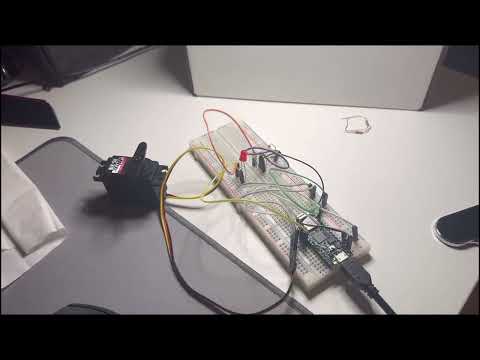
Button
The last part of my project is to add this button.
Remember that my logic is button cheers Luna up, representing me stroking her or petting her.
My code logic is that when the button is pressed (digitalRead(buttonPin) == LOW), the variable isExcited is set to true. This triggers Luna’s excited mode, where the tail shakes faster, and the LED blinks rapidly. After a few seconds of excitement (handled by the for-loop), isExcited is set to false, and Luna returns to her regular mood behavior. If the button isn’t pressed, Luna behaves based on the light input from the LDR as before.
My breadboard is now a total mess.
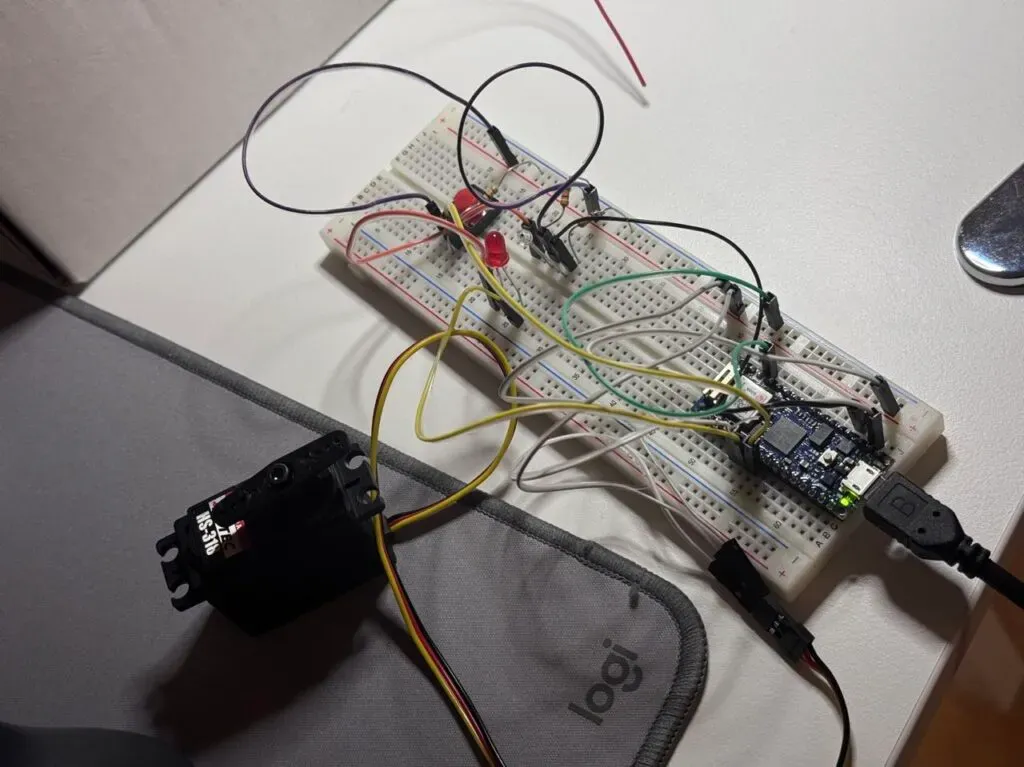
I also debugged in the middle for several grammar mistakes, and the major bug is that the LED is not lighting up when the light is the strongest.
I moved the LED control inside the for loop for shaking the tail during excitement. Now, every time the servo moves, the LED will blink on and off.
analogWrite(ledPin, 255); sets the LED to full brightness, and analogWrite(ledPin, 0); turns it off after each tail movement.
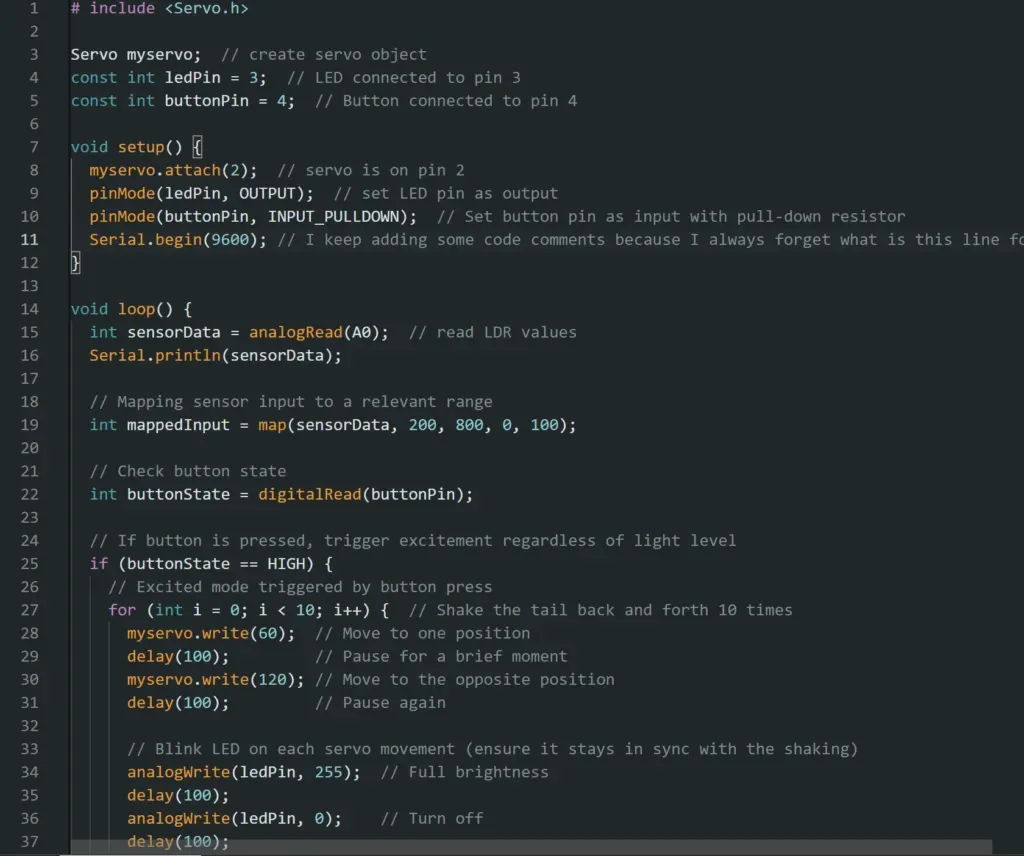
And it is finally working. In a dim environment (LCD value < 200), when I press the button, Luna is cheered up (LED and Servo output).
Final Effect

Conclusion
Working on this project has been increasingly exhausting. I had such high expectations for myself at the beginning, but now I don’t even feel like doing the documentation anymore. I think readers who have gotten this far can probably notice the shift in my mood. Besides, I mentioned earlier, the weather today isn’t great, especially this cloudy afternoon, and I’m feeling a bit sleepy. At the start, I set too many requirements for this project, and because I was eager to get started, I didn’t create mind maps or flowcharts like I usually do. This led to some confusion later on, as I kept going back to check my previous code. After lunch, I had to re-read the entire code as if I were a stranger to it.
Still, I believe this has been the most interesting Arduino project I’ve done so far. I even achieved all the expectations I had set out initially, except for some video editing I planned to do lol. I didn’t expect that I’d actually manage to implement all the functions in the end. I’m very happy and have gained a lot from it! Thank you for watching the whole post 🙂